AI review · tennis

AI stroke analysis that knows your context

Film your stroke on your phone — the model reads it against your profile: level, experience, hand and how often you play, plus your earlier videos on that stroke. A staff coach reads the review and adds live feedback. Film it again and see what changed.

Reviews are free during the open beta. iPhone app coming soon.
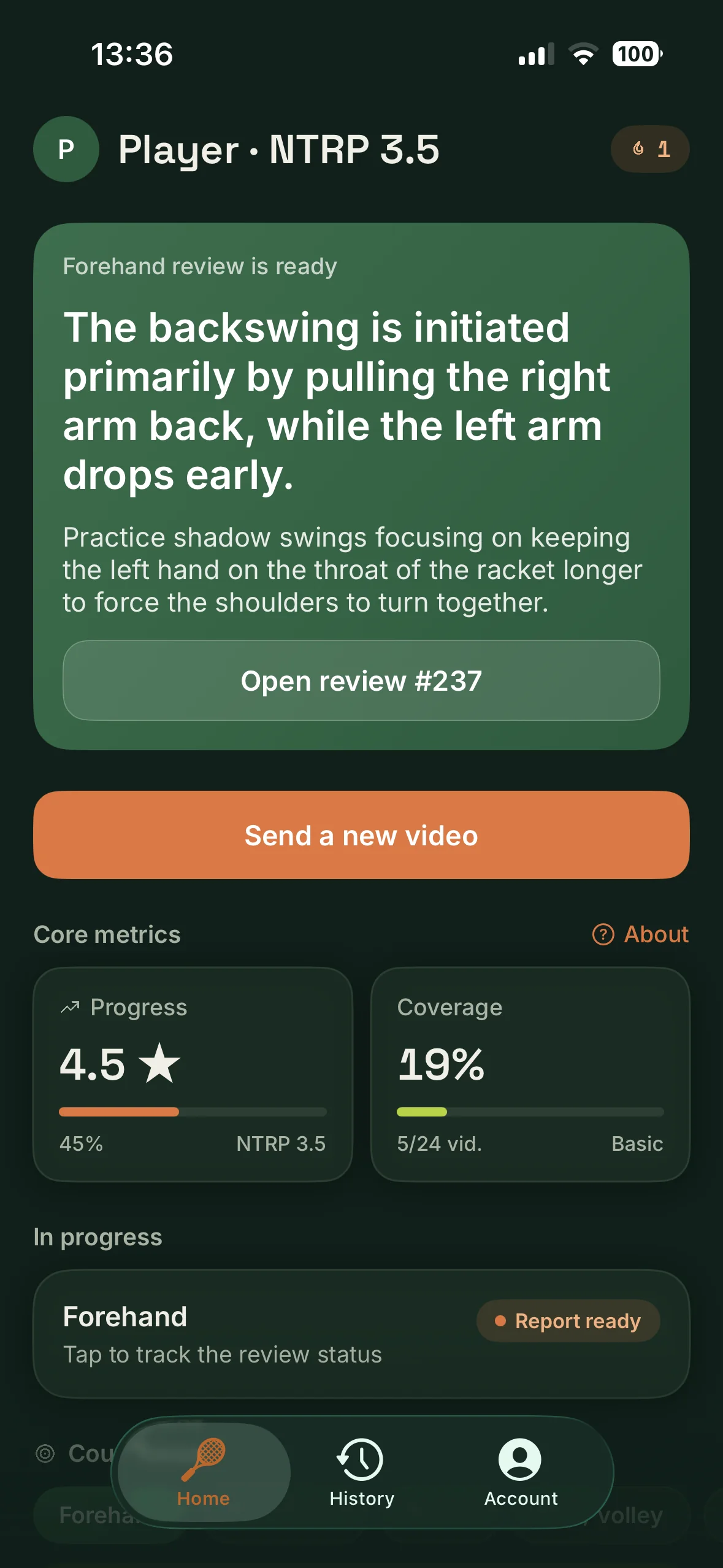
AdvantAce home screen: a finished stroke review, the send-video button and key progress meters
Sound familiar?

You film yourself — and still can't tell what to fix

Three reasons practice footage rarely turns into progress.

You watched your own video and couldn't tell what was wrong — it looks roughly the way it should.

Advice from YouTube is about someone else's stroke. It doesn't transfer to yours.

A month of practice later, you can't tell whether you improved or what changed at all.

How it works

Three steps, no gear and no editing

01

Film 10–30 seconds

One stroke, phone to the side or behind you at waist height. Your phone camera is enough — no tripod, no second person.

02

Get the review

The AI reads your stroke against your profile and your earlier videos on that stroke: what's off, why it matters and what to do. A staff coach reads the review and adds live feedback.

03

Film the same stroke again

The review remembers your earlier videos, your current focus and recurring issues. You see a trend, not a one-off tip.

What's inside

Not a “technique score” — work on one stroke at a time

The product walks a single stroke through the loop: note, drill, next video.

AI review with your context

The model watches your video and knows your profile: level, experience, hand and how often you play. Not average advice from the internet — a review of your game.

Memory of past reviews

Each review sees your earlier sessions on that stroke, your focus — it stays until the stroke improves — and your recurring issues. So it doesn't start from zero.

Live coach feedback

A staff coach reads the AI review and adds what only a human sees. Until they do, the review is marked “In review”.

Six strokes

Forehand, backhand, serve, net, footwork, rally. Progress is tracked per stroke — a serve is never compared to a forehand.

Drills from the catalog

Every note comes with drills you can take to your next practice, each with a description and a link.

History and progress

Scores per stroke, coverage and your NTRP level. You see what's growing, what's stuck and which stroke needs more footage.
Forehand Backhand Serve Net / volley Footwork Rally
Screens

What it looks like

AdvantAce home screen: a finished stroke review and key progress meters
Home
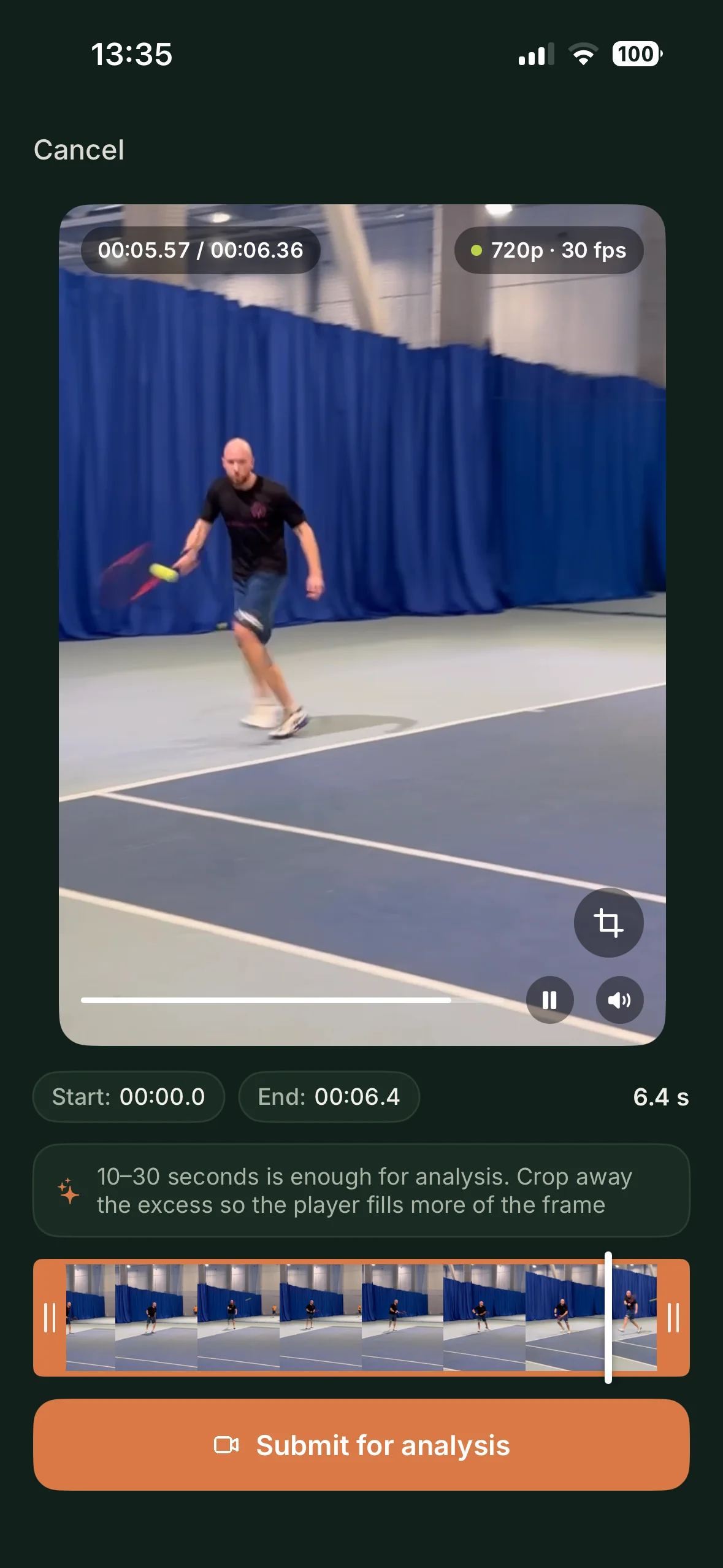
Video upload in AdvantAce: trimming the clip and sending it for review
Video
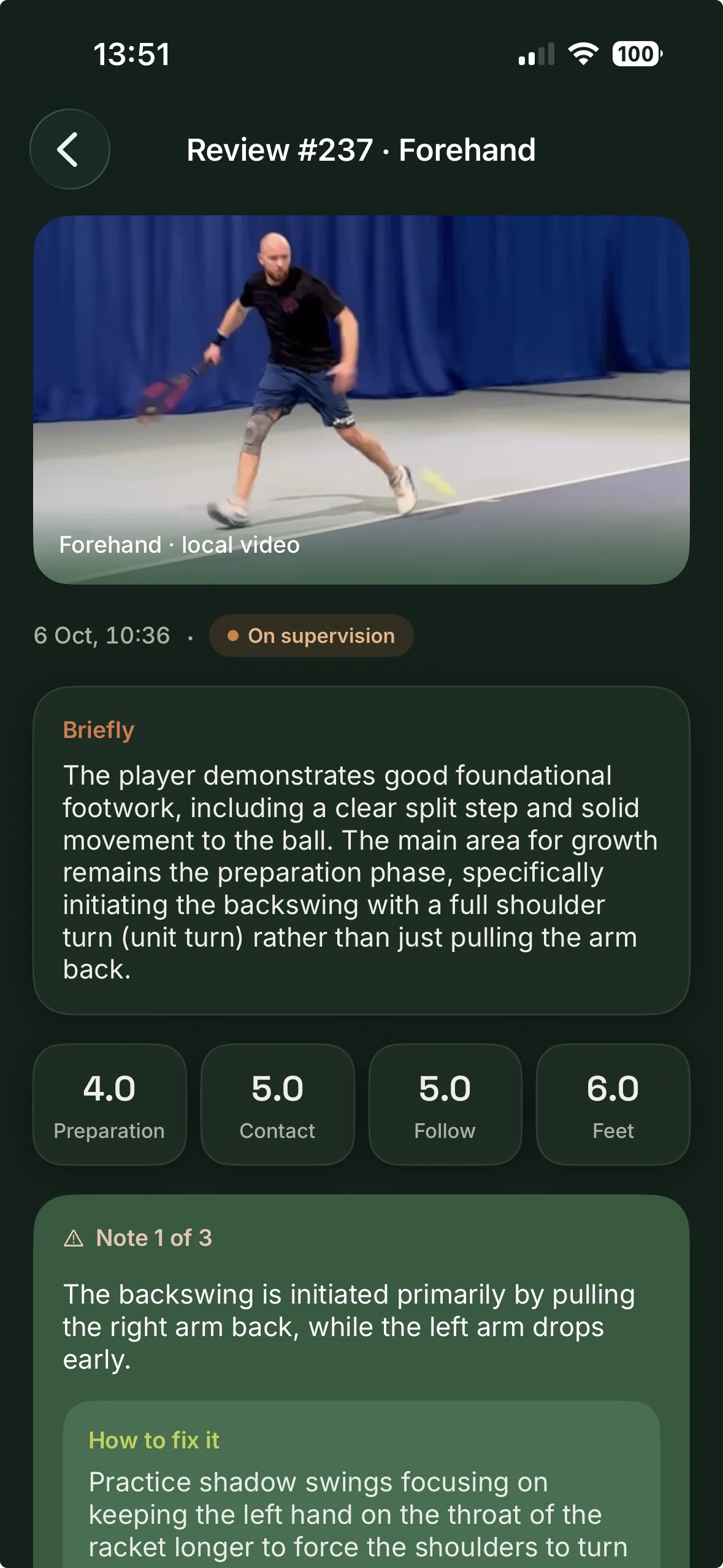
Stroke review in AdvantAce: AI notes and how to fix them
Review
Common questions

Questions

How is this different from ChatGPT or other AI analysis?
The review is made by a model that knows your context: your profile (level, experience, hand, how often you play), your earlier videos on that stroke, your current focus and recurring issues, plus a knowledge base on technique. On top of it — live feedback from a staff coach. ChatGPT has neither your history nor a coach watching the analysis.
Do I need Telegram?
For now, yes: the Telegram bot is the live channel. The iPhone app is in development — it will add push notifications when a review is ready and keep a copy of your video on the device. You can register interest from the bot: tap “Follow the iOS app”.
How long does a review take?
The AI review appears right after you upload the video. Coach feedback takes up to 24 hours, usually faster. If the coach doesn't get to it in time, the review is still delivered to you.
What should I film, and how?
10–30 seconds, one stroke, phone to the side or behind you at waist height. You don't need a whole rally: the shorter the clip, the more precise the review. The review then tells you what to film next.
How much does it cost?
The product is in open beta and reviews are free right now. When pricing arrives, the first review will stay free — you should see what the product actually gives you before paying for it.
What happens to my videos?
We don't keep videos on our server: the file is deleted after the review. In Telegram it stays in your chat with the bot — you can clear that any time.

The AI breaks down your stroke — a coach adds to it

Open the bot, send a 10–30 second clip and pick the stroke. The AI review lands right away, coach feedback follows.